
Character Editor
Learn how to use Neocortex node editor
The Character Node Editor is the central workspace where you design, edit, and manage the behavior and personality of your Smart NPCs. This powerful tool allows you to visually create, modify, and test NPC behavior using a node-based interface. When you create a character, you are automatically taken to the Node Editor.
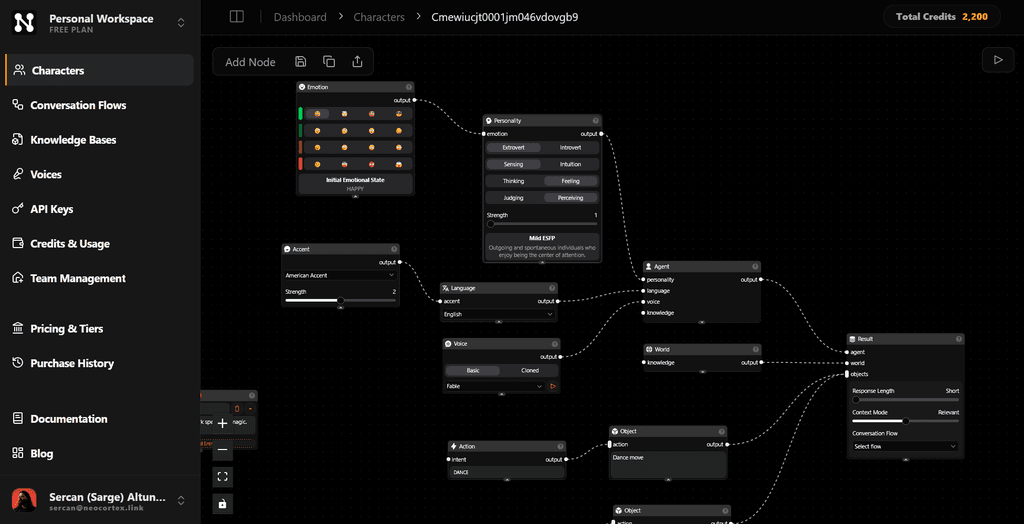
Adding and Deleting Nodes
Nodes represent the building blocks of your NPC's behavior. To add a node:
- Click the
Add Nodebutton in the toolbar and select the desired node type. - Alternatively, right-click on the canvas, select
Add Nodefrom the context menu, and choose the node type.
To delete a node:
- Select the node by clicking on it.
- Press the
Deletekey on your keyboard.
Efficient node management ensures your NPC behaves as expected.
Connecting and Disconnecting Nodes
To establish connections between nodes:
- Click on the
output handleof the first node. - Drag the connection line to the
input handleof the second node and release.
To disconnect nodes:
- Click on the connection line between them.
- Press the
Deletekey.
Connections define the flow of data and logic in your NPC's behavior, so organize them thoughtfully.
Character Menu
The top-right toolbar provides a central location for managing your character's state and sharing options:
- Save Character: Preserves your latest changes. You can also right-click any empty space on the canvas and select Save.
- Copy ID: Copies the unique Character ID to your clipboard for API integrations.
- Public Link: Generates a shareable URL that allows anyone to interact with your NPC in a standalone chat interface.
Testing the Character
Testing allows you to validate your NPC's behavior interactively. To test:
- Click the Play button in the top-right corner of the editor.
- A chat window will open, enabling you to have a text-based conversation with the NPC.
This feature helps you verify and refine the NPC's responses in real time.
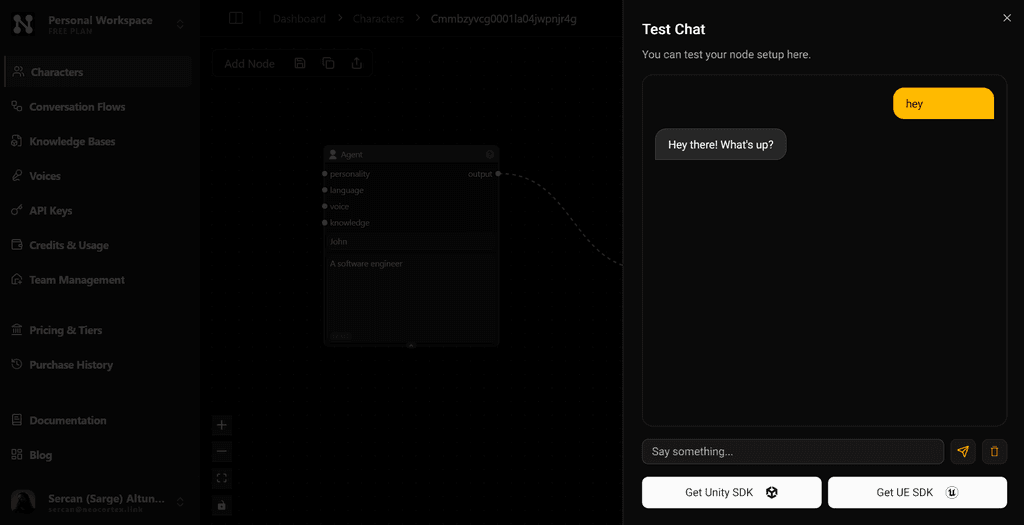
The Node Editor provides a flexible and intuitive way to build Smart NPCs, making it easy to iterate on designs and test functionality as you develop.