
Group Chat
Put several characters in one conversation and test how they talk to each other.
Group Chat
Experimental
Group chat is currently an experimental feature. Its behavior may change.
Group Chat puts several of your characters into one shared conversation, so they talk to you and to each other. It is where you try a scene before wiring it into your game, and it runs the same engine your game calls, so what you see here is what you get at runtime.
Open it from Group Chat in the dashboard sidebar.
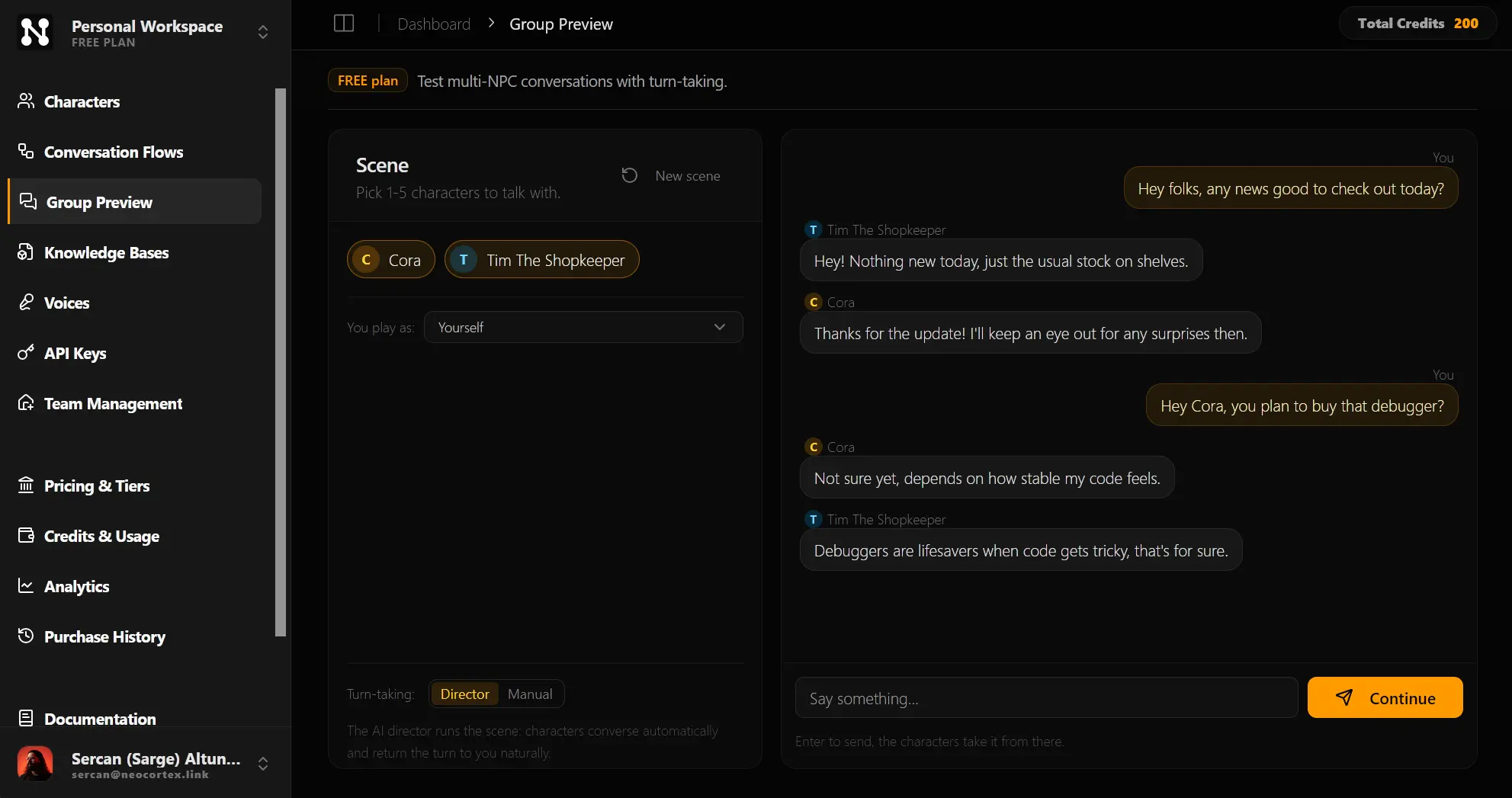
Building a cast
Pick the characters you want in the scene. Your most recently used characters are listed first, and the search box finds the rest once you have more than a handful.
A cast can hold up to 5 characters. Selected characters stay visible while you search, so you never lose track of who is in the scene.
Plan requirement
A cast of two or more characters needs a Pro or Team plan. A single character works on any plan and behaves exactly like a normal one to one conversation.
Talking to the group
Type a message and press Send. The characters answer in the order that makes sense for what you said.
The button changes with the state of the scene:
| Button | When | What it does |
|---|---|---|
| Start scene | Nothing has happened yet | Opens the scene. With no message the characters begin talking among themselves. |
| Send | You typed something | Your line goes to the group. |
| Continue | A scene is running and the box is empty | The characters carry on without you, so you can watch them talk. |
Press the reset button to clear the transcript and start a fresh conversation.
Who replies
Two modes decide how turn taking works:
| Mode | Behaviour |
|---|---|
| Director (default) | An AI director reads the scene and picks who speaks and in what order, then hands back to you. This is what your game gets by default. |
| Manual | You choose which character replies. Use it to push a specific character for a line, or to test one character's voice inside a group. |
In Director mode a character that was directly addressed answers first, and the exchange ends by turning back to you rather than leaving a question hanging between characters.
Playing as a character
By default you are simply the player. The persona selector lets you be one of your characters instead, and the cast then treats you as that character, using their name and knowing who they are.
A character cannot be in the cast and be your persona at the same time, so selecting one as your persona removes it from the cast.
This is the same feature as playAs in the API, and the choice sticks to the conversation.
What the characters know
Characters in a group share one transcript, so they hear each other, not just you. On top of that each one keeps its own personality, knowledge, voice and language: the group does not flatten them into one voice.
They also track the shape of the scene:
- A character that joins partway through is greeted, and only sees the conversation from the moment it joined. Anything said before it arrived stays private.
- A character that leaves is no longer addressed, and the others remember that it left rather than talking as if it were still there.
In the dashboard you change the cast by selecting or deselecting characters. In your game you do the same by changing the list of characters you send.
Taking it into your game
Group Chat in the dashboard and group chat in your game are the same feature over the same endpoint. When the scene behaves the way you want: